



A staff roster built for fast-moving vacation rental operations
Cleaning and field team schedules change constantly. Bookings move, guests extend, cleaners call in sick and same-day turnovers appear with very little warning. A spreadsheet roster rarely keeps up.

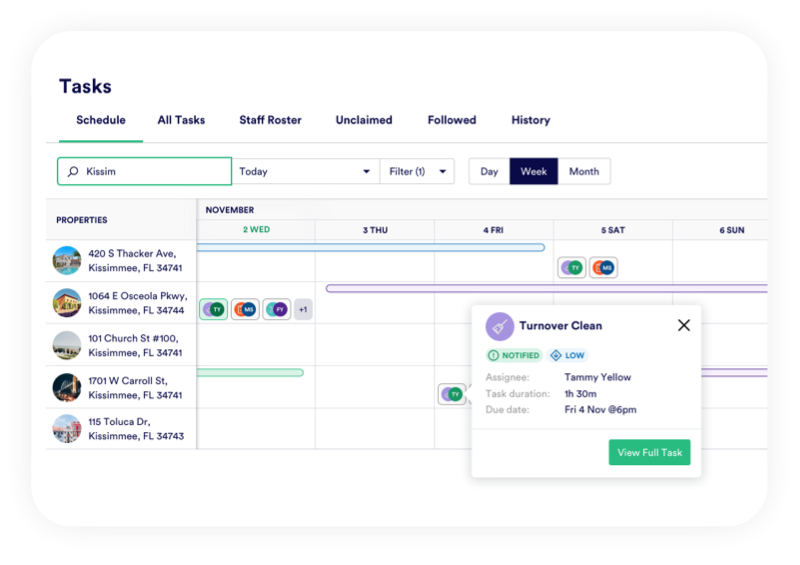


Ditch the whiteboard
A clearer way to manage your team
PropertyCare gives managers a clearer way to roster cleaners, maintenance staff and operational teams. Tasks can be assigned based on availability, area, property, workload or team structure, then updated instantly when plans change.
Your office team gets live visibility of who is doing what, while field teams receive their latest work through the mobile app and notification centre.
Team Visibility
See who is working and what they are doing
PropertyCare gives managers a clear view of assigned tasks by team member, property and date. Instead of checking a spreadsheet against messages, you can see each person’s workload and spot gaps or overloaded cleaners before the day starts.
Smarter Assignment
Assign work by area, property or team
Different teams often work across different regions, brands or property groups. PropertyCare helps you assign tasks to the right people based on how your operation is structured, so the roster reflects real working patterns rather than just a list of names.

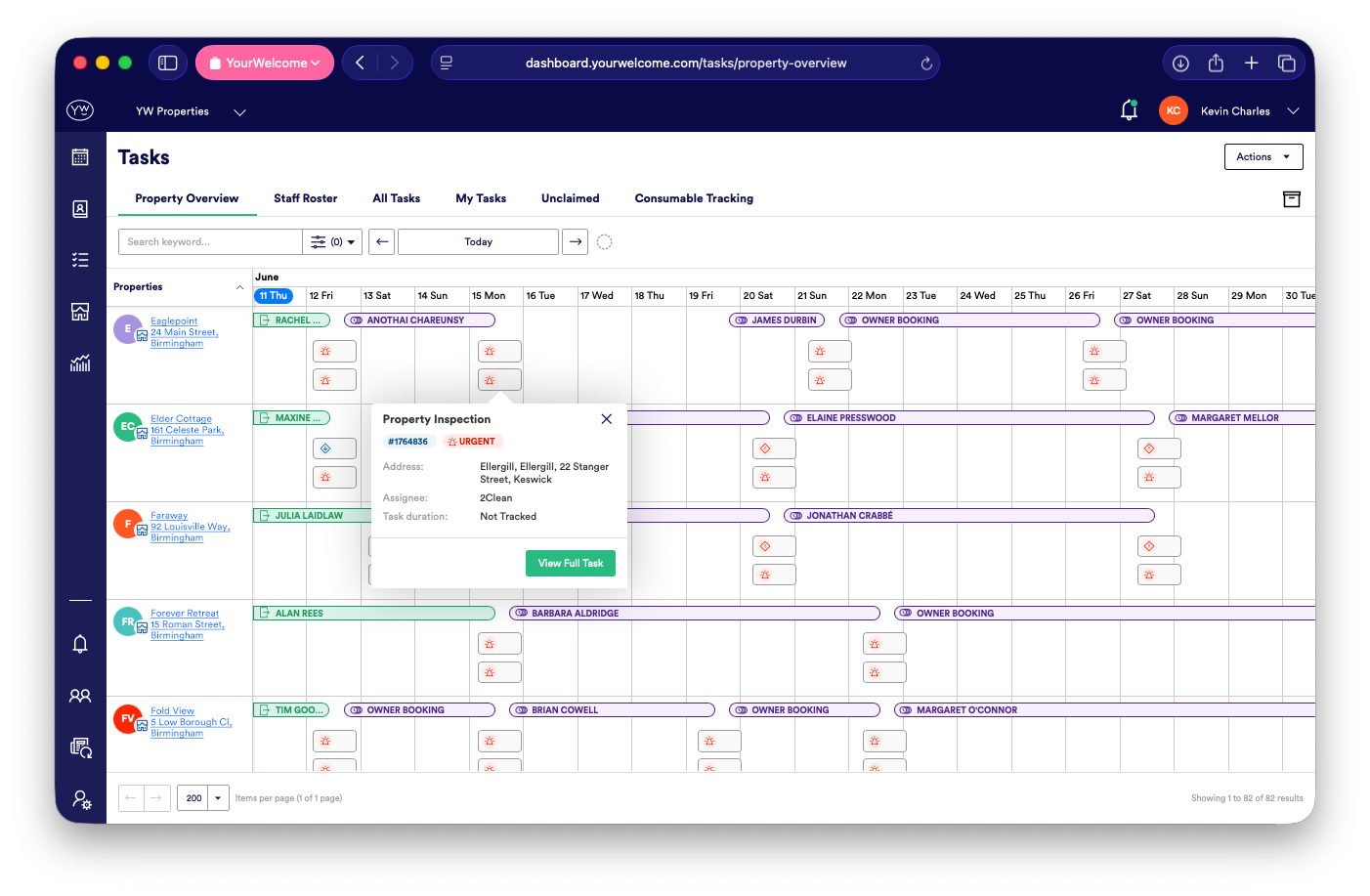
Real-Time Changes
React quickly when the day changes
When a cleaner is unavailable or a booking changes, tasks can be moved and reassigned without rebuilding the whole schedule. The mobile app and notification centre help make sure the right people see the latest version of the plan.
Mobile Scheduling
Give field teams their schedule in-app
Cleaners and contractors can see their assigned work on their phone, including task details, property notes and checklists. This reduces calls to the office and avoids people working from outdated screenshots or yesterday’s rota.
Team Notifications
Use notifications to keep people aligned
Roster changes only help if people know about them. PropertyCare can send notifications for new assignments, updates, declined tasks and urgent changes, keeping the team aligned without flooding everyone with irrelevant messages.
Ready to replace the cleaning spreadsheet?
PropertyCare helps you roster field teams, update schedules and keep everyone working from the latest plan.
Ready to replace the cleaning spreadsheet?
PropertyCare helps you roster field teams, update schedules and keep everyone working from the latest plan.
Frequently Asked Questions
Can I roster cleaners in PropertyCare?
Yes. Managers can assign housekeeping and operational tasks to team members and track workload across the day.
Can cleaners see their schedule on their phone?
Yes. Assigned tasks appear in the PropertyCare mobile app with the information needed to complete them.
Can tasks be reassigned if someone is unavailable?
Yes. Tasks can be reassigned and the relevant team members can be notified of the change.
Can the roster support contractors?
Yes. Contractors can be given controlled access to relevant tasks and property information.
Does the roster update when bookings change?
Where tasks are linked to bookings, changes can update the related work and help keep the roster current.


