



PMS integration that turns booking data into operational work
Your PMS should remain the system of record for bookings. But your operations team also needs that booking data to create cleans, manage changeovers, plan work and keep properties guest-ready.



Integrations that just work
Property Management System mirroring
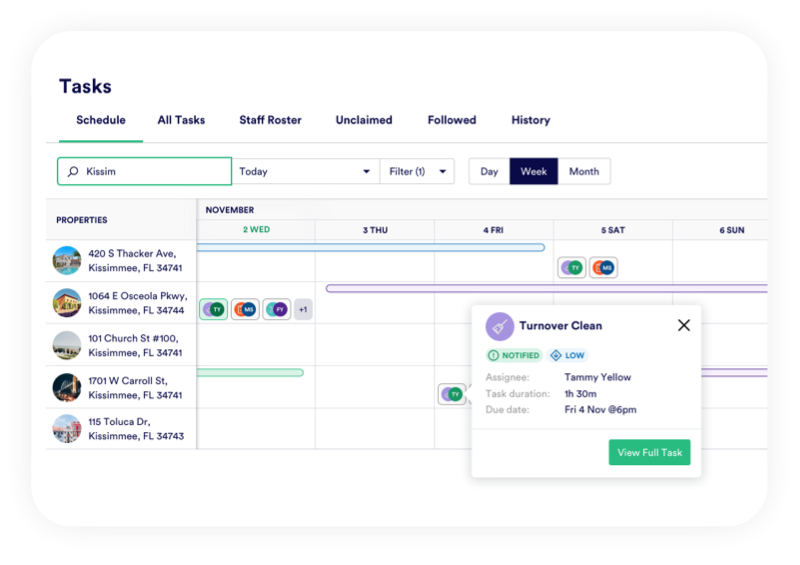
PropertyCare connects to your PMS and mirrors the booking calendar into your operational workflow. Properties, bookings, arrivals, departures, changes and cancellations can all help trigger or update the tasks your team needs to complete.
This means your cleaning and operations schedule is built from live booking data, not manual exports, screenshots or copied calendar entries.
Booking Sync
Duplicate your bookings and keep in sync
PropertyCare mirrors the booking calendar from your PMS so operations teams can work from current arrival, departure and stay information. This gives field operations the context they need without giving everyone full PMS access.
Task Automation
Create tasks from booking events
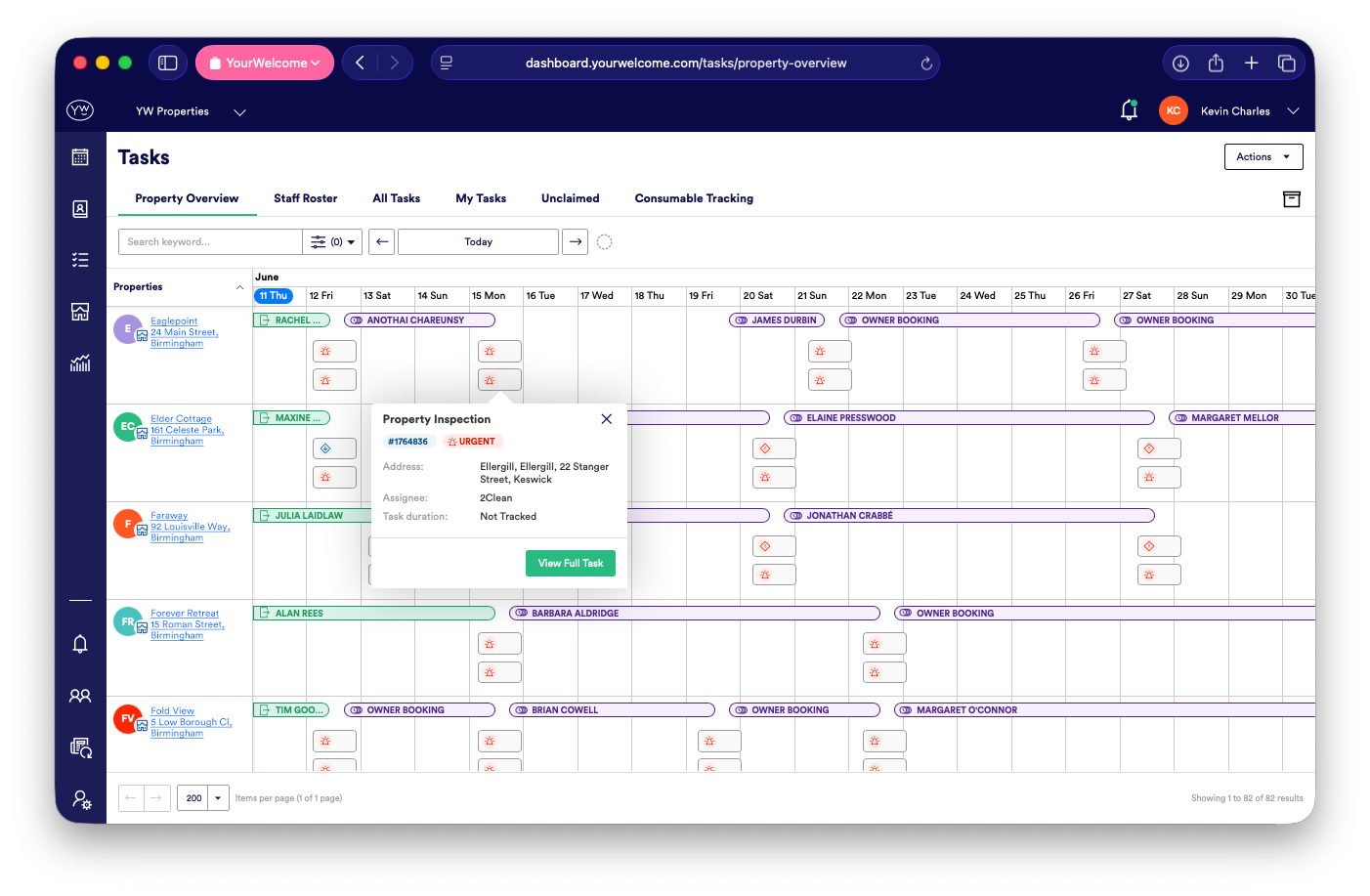
Bookings can trigger housekeeping, inspection, maintenance, linen or ad hoc tasks based on your rules. A departure might create a clean, a same-day changeover might create a priority workflow, and an owner booking might create a different task template.

Live Updates
Keep tasks updated when bookings change
Booking changes are one of the biggest causes of operational mistakes. When a reservation is extended, cancelled or moved, linked tasks can update too, helping your team avoid missed cleans or unnecessary work.
Works With Your PMS
Support for the systems you already use
PropertyCare is designed to sit alongside your PMS rather than replace it. Your reservation team can keep managing bookings in the PMS, while your operations team manages the work created by those bookings in PropertyCare.
Less Manual Admin
Reduce manual scheduling admin
The main value of PMS integration is removing the repetitive work of building the cleaning schedule manually. Your team can spend less time copying bookings and more time managing exceptions, quality and guest-readiness.
Ready to connect bookings to operations?
PropertyCare helps turn PMS booking data into scheduled tasks, live calendars and clearer operational workflows.
Ready to connect bookings to operations?
PropertyCare helps turn PMS booking data into scheduled tasks, live calendars and clearer operational workflows.
Frequently Asked Questions
Does PropertyCare integrate with PMS platforms?
Yes. PropertyCare is designed to connect with PMS platforms and mirror booking data into operations.
What information can sync from the PMS?
Property, booking, arrival, departure, change and cancellation information can support task automation and calendar visibility.
Can bookings create cleaning tasks automatically?
Yes. Booking events can trigger housekeeping and other operational tasks.
What happens if a booking changes?
Linked operational tasks can update, helping reduce mistakes caused by outdated schedules.
Does PropertyCare replace my PMS?
No. PropertyCare sits alongside your PMS and focuses on operations, tasks and field team workflows.


