



A bookings calendar that helps operations plan around every stay
Operations teams need booking visibility, but they do not always need full PMS access. They need to know who is leaving, who is arriving, where the gaps are and what work needs to happen between stays.

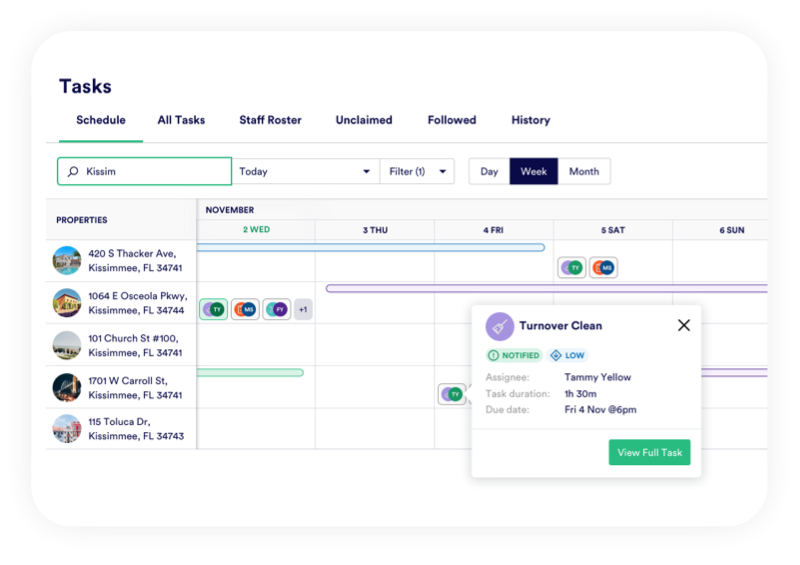


Top down view
Portfolio wide-view of bookings & tasks
PropertyCare gives your team a mirrored bookings calendar connected to operational tasks. Departures, arrivals, owner bookings, same-day changeovers and gap nights can all be seen in the context of the work they create.
This gives managers a clearer way to plan cleaning, inspections, maintenance and ad hoc jobs around the booking pattern.
Operational Calendar
Mirror the booking calendar for operations
PropertyCare mirrors booking information from your PMS into an operational calendar. This lets housekeeping and maintenance teams understand the schedule without needing to work from PMS screenshots or separate spreadsheets.
Bookings & Tasks
See tasks and bookings together
A booking calendar is most useful when it also shows the work around the stay. PropertyCare helps managers see departures, arrivals, linked cleans, inspections and open tasks in one operational view.

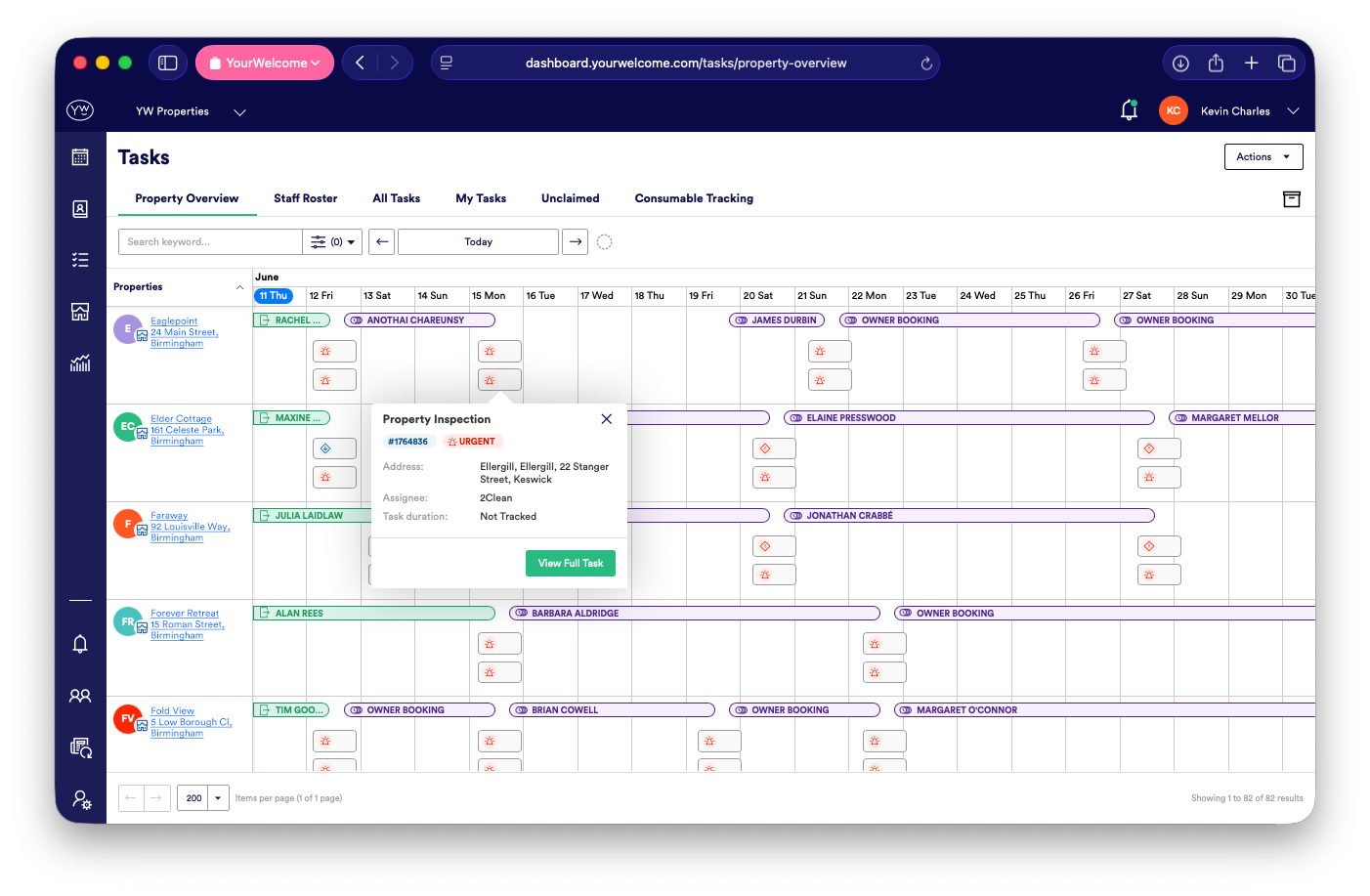
Owner Stays
Handle owner bookings properly
Owner stays still create operational work. PropertyCare can help distinguish owner bookings from guest bookings, allowing the right prep, clean or follow-up task to be created without confusing owner use with revenue bookings.
Gap Night Planning
Use gap nights for smarter scheduling
Gap nights are valuable operational space. PropertyCare can help identify gaps between bookings and use them for deeper cleans, maintenance, inspections, inventory checks or lower-pressure tasks that do not fit into same-day turnover windows.
Smarter Changeovers
Separate same-day changeovers from gaps
A same-day changeover needs a different workflow from a property with one or more empty nights. PropertyCare can help you create different rules for urgent turnovers and gap-night work, so the team does not treat every departure the same.
Ready to plan work around your bookings?
PropertyCare gives your operations team a mirrored bookings calendar connected to the tasks each stay creates.
Ready to plan work around your bookings?
PropertyCare gives your operations team a mirrored bookings calendar connected to the tasks each stay creates.
Frequently Asked Questions
Does PropertyCare have a bookings calendar?
Yes. PropertyCare can mirror booking information from your PMS into an operations calendar.
Can operations staff see bookings without PMS access?
Yes. Teams can use PropertyCare for operational booking visibility without needing full PMS access.
Can owner bookings be handled separately?
Yes. Owner bookings can be identified and used to trigger the right operational tasks.
Can gap nights trigger different tasks?
Yes. Gap nights can support different task rules from same-day changeovers.
Can tasks appear alongside bookings?
Yes. Linked tasks can be viewed in the context of arrivals, departures and booking patterns.


